
🚀 Déploiement d’Argo CD#
Maintenant que le cluster K3s est fonctionnel, passons à l’installation d’Argo CD pour gérer les déploiements GitOps.
📄 Playbook install_argocd.yml#
📍 Chemin : ansible/playbooks/install_argocd.yml
Ce playbook déploie Argo CD via Helm, configure son service en LoadBalancer (compatible MetalLB), et applique le manifest App-of-Apps.
---
more ansible/playbooks/install_argocd.yml
---
- name: Deploy / upgrade Argo CD via Helm
  hosts: master          # vos nœuds “control‑plane”
  become: true
  vars_files:
    - ../group_vars/master.yml        # ⇐ contient kubeconfig_path

  tasks:
  # ─────────────────────────────────────────
  # 1) Namespace (idempotent)
  # ─────────────────────────────────────────
  - name: Ensure argocd namespace exists
    kubernetes.core.k8s:
      kubeconfig: "{{ kubeconfig_path }}"
      api_version: v1
      kind: Namespace
      name: argocd
      state: present

  # ─────────────────────────────────────────
  # 2) Dépôt Helm Argo
  # ─────────────────────────────────────────
  - name: Add Argo Helm repo
    kubernetes.core.helm_repository:
      name: argo
      repo_url: https://argoproj.github.io/argo-helm

  - name: Helm repo update (work‑around)
    kubernetes.core.helm:
      name: dummy
      chart_ref: argo/argo-cd
      release_state: absent
      namespace: argocd
      kubeconfig: "{{ kubeconfig_path }}"

  # ─────────────────────────────────────────
  # 3) Installation / mise‑à‑jour Argo CD
  # ─────────────────────────────────────────
  - name: Install / upgrade Argo CD
    kubernetes.core.helm:
      name: argocd
      chart_ref: argo/argo-cd
      namespace: argocd
      kubeconfig: "{{ kubeconfig_path }}"
      create_namespace: false
      values:
        server:
          replicas: 2                   # ← deux pods ⇒ plus d’élection unique
          deploymentStrategy:
            type: RollingUpdate
            rollingUpdate:
              maxUnavailable: 0
          service:
            type: LoadBalancer
            # Important pour MetalLB : seul le nœud qui héberge un pod
            # répondra à l’IP → pas d’asymétrie TCP
            externalTrafficPolicy: Local
            annotations:
              metallb.universe.io/address-pool: homelab-pool

        #############################################
        #  ==>   Ajout du ConfigMap argocd-cm   <==
        #############################################
        configs:
          cm:
            resource.customizations: |
              Service:
                ignoreDifferences: |
                  jqPathExpressions:
                    - .spec.clusterIP
                    - .spec.clusterIPs
                    - .spec.ipFamilies
                    - .spec.ports[].nodePort

              apiextensions.k8s.io/CustomResourceDefinition:
                name: '.*\.longhorn\.io'
                ignoreDifferences: |
                  jqPathExpressions:
                    - .spec.preserveUnknownFields
                    - .spec.conversion

              apps/StatefulSet:
                name: "loki-stack"
                ignoreDifferences: |
                  jqPathExpressions:
                    - .spec.volumeClaimTemplates

              PersistentVolumeClaim:
                ignoreDifferences: |
                  jqPathExpressions:
                    - .spec.resources
                    - .spec.storageClassName

              cert-manager.io/ClusterIssuer:
                ignoreDifferences: |
                  jqPathExpressions:
                    - .metadata.annotations."argocd.argoproj.io/tracking-id"
  # ─────────────────────────────────────────
  # 4) Affiche le mot de passe admin (une seule fois)
  # ─────────────────────────────────────────
  - name: Show Argo CD admin password
    shell: |
      kubectl --kubeconfig {{ kubeconfig_path }} -n argocd \
        get secret argocd-initial-admin-secret \
        -o jsonpath="{.data.password}" | base64 -d
    register: argopass
    changed_when: false

  - name: Print Argo CD admin password
    debug:
      msg: "Argo CD admin password is: {{ argopass.stdout }}"

  # ─────────────────────────────────────────
  # 5) Bootstrap « App‑of‑Apps » (idempotent)
  # ─────────────────────────────────────────
  - name: Apply app‑of‑apps manifest
    kubernetes.core.k8s:
      kubeconfig: "{{ kubeconfig_path }}"
      state: present
      src: "/root/homelab-gitops/clusters/prod/app-of-apps.yaml"
▶️ Lancement du playbook#
Depuis ansible/playbooks/, exécute :
ansible-playbook -i ../inventory/hosts.yml install_argocd.yml

PLAY [Deploy Argo CD via Helm] ******************************************************************

TASK [Gathering Facts] **************************************************************************
ok: [control00]

TASK [Create argocd namespace] ******************************************************************
[WARNING]: kubernetes<24.2.0 is not supported or tested. Some features may not work.
ok: [control00]

TASK [Add ArgoCD Helm repo] *********************************************************************
ok: [control00]

TASK [Update Helm repos (dummy workaround)] *****************************************************
ok: [control00]

TASK [Install / upgrade Argo CD] ****************************************************************
[WARNING]: The default idempotency check can fail to report changes in certain cases. Install
helm diff >= 3.4.1 for better results.
changed: [control00]

TASK [Show Argo CD admin password] **************************************************************
changed: [control00]

TASK [Print Argo CD admin password] *************************************************************
ok: [control00] => {
    "msg": "ArgoCD admin password is: Votre_Super_MDP"
}

TASK [Bootstrap Argo CD (app-of-apps)] **********************************************************
ok: [control00]

PLAY RECAP **************************************************************************************
control00                  : ok=8    changed=2    unreachable=0    failed=0    skipped=0    rescued=0    ignored=0
🔐 Accès à Argo CD#
A ce stade, nous ne disposons pas encore d’IP externe, nous allons donc rediriger vers le pod :
- Repère l’IP fournie par MetalLB (
kubectl get svc -n argocd)
kubectl get svc -n argocd
NAME                               TYPE           CLUSTER-IP      EXTERNAL-IP     PORT(S)                      AGE
argocd-applicationset-controller   ClusterIP      10.43.180.124   <none>          7000/TCP                     47h
argocd-dex-server                  ClusterIP      10.43.231.30    <none>          5556/TCP,5557/TCP            47h
argocd-redis                       ClusterIP      10.43.10.26     <none>          6379/TCP                     47h
argocd-repo-server                 ClusterIP      10.43.30.241    <none>          8081/TCP                     47h
argocd-server                      LoadBalancer   10.43.252.250   <none>   80:31995/TCP,443:30688/TCP   47h
- Ouvre ton terminal dans une autre fenêtre et indique ceci :
ssh -L 8080:localhost:8080 root@192.168.1.21
- Une fois connecté on peut faire la redirection vers le pod argocd:
kubectl port-forward svc/argocd-server -n argocd 8080:443
- Utilise le login
adminet le mot de passe affiché à la fin du playbook - Une fois que metallb sera déployé nous aurons accès un une IP externe et pourrons y accéder directement sans redirection
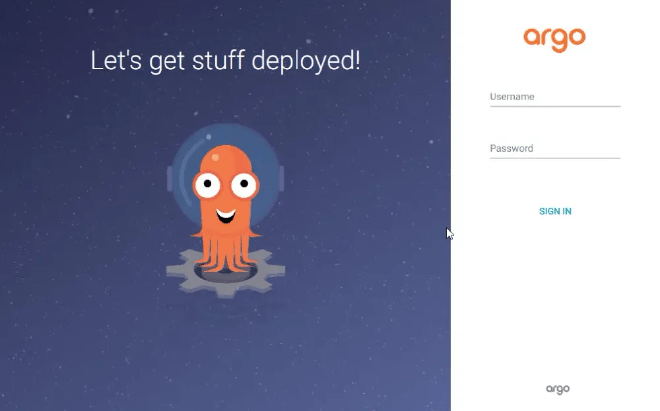
Argo Login
🧪 Vérification finale :
kubectl get pods -n argocd
NAME                                                READY   STATUS    RESTARTS      AGE
argocd-application-controller-0                     1/1     Running   0             19h
argocd-applicationset-controller-5fd8cc9944-2jt6r   1/1     Running   1 (29h ago)   47h
argocd-dex-server-87bbd9f9-z4rhg                    1/1     Running   2 (27h ago)   47h
argocd-notifications-controller-54d99fbd7b-bmtr2    1/1     Running   1 (29h ago)   47h
argocd-redis-5fc8f4b644-4b8wb                       1/1     Running   1 (29h ago)   47h
argocd-repo-server-5f5db46895-m8ncq                 1/1     Running   0             19h
argocd-server-5d65ccdf54-5p2dp                      1/1     Running   0             19h
argocd-server-5d65ccdf54-zpnbf                      1/1     Running   0             19h
Tous les pods doivent être en Running.
🎉 Argo CD est en place ! Tu peux maintenant déployer toutes tes applications en mode GitOps 🚀
</> Bonus: Command Line Interface#
vous pouvez également utiliser le CLI de argoCD :
# Télécharger CLI argoCD
sudo curl -sSL -o /usr/local/bin/argocd https://github.com/argoproj/argo-cd/releases/latest/download/argocd-linux-arm64

# Login ArgoCD
argocd login localhost:8080 --username admin --password VotreSuperMotDePasse

# Ajouter votre repo GIT:
argocd repo add https://gitlab.com/votre_repo/homelab-gitops.git \
  --username votre_user\
  --password VotreSuperMotDePasse